
Science animated incursion | Stage 3 Science and Technology
Program overview
Science animated is a Stage 3 Science and Technology incursion where students investigate the external features, movements and habitats of invertebrates, then communicate their scientific observations through stop-motion animation.
Working in pairs, students safely collect and observe live invertebrates in the school grounds, develop a factual script and storyboard, create movable plasticine models and produce a short stop-motion sequence using iPads. Students edit their clips in iMovie and completed animations are returned to the school through Google Drive.
We have been advised that this program is exempt from the screen use limits under the new screen use guidelines for schools, as the use of technology in this program is purposeful, intensive and curriculum aligned.
This program is also available for Stage 2.
Learning intentions
- We are learning to explain how the structural and behavioural features of invertebrates support their survival.
- We are learning to make a stop-motion animation.
Jump to: Program and curriculum | Essential information | Plan and prepare | Location | Related programs

Program and curriculum information
Program activities
Activities may change to suit student needs, timing and school arrangements.
Introduction
Students explore what animation is and how stop-motion sequences are created. Through a short example and class discussion, they identify the steps involved in creating an animation and connect the task to science learning about invertebrate features, movement, habitats and environmental relationships.
Invertebrate investigation
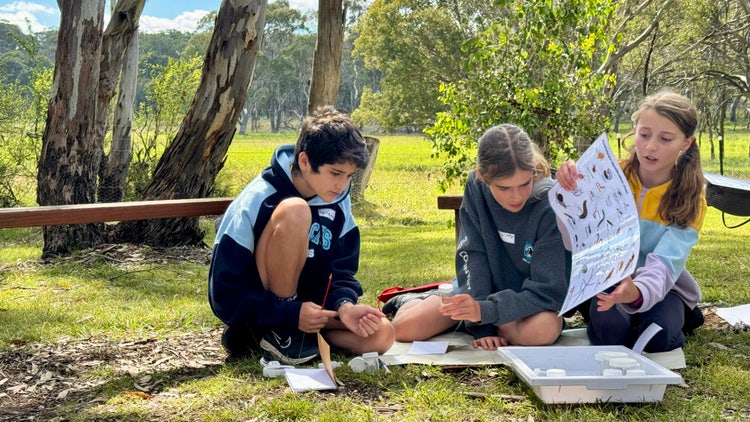
In the school grounds, students work in pairs to safely search for and collect invertebrates from leaf litter, vegetation and other suitable habitats. They use simple fieldwork equipment and make responsible choices while investigating where small animals live.
Indoors, students use magnifiers and identification charts to observe and identify their collected invertebrates. They describe external features and movement and consider how the habitat provides the food, water, shelter and space the animal needs to survive.
Animation workshop
Students compose a short factual script describing their chosen invertebrate’s external features, movement and habitat. They organise their information into a logical sequence and storyboard scenes so that the images clearly support the scientific information being communicated.
Students create movable plasticine models that represent the important external features of their selected invertebrate. They test and refine their models and plan how movement, props and setting will communicate information.
Animating
Students use iPads, stands and iStopMotion to record narrated scenes. They move their models in small steps and capture a sequence of in-focus images that follows their script and storyboard.
Editing
Students export their stop-motion clips and use iMovie to sequence scenes, improve sound and add titles or music where time allows.
Students participate in a short movie-premiere screening. Completed animations are returned to the school through Google Drive.
Suggested timetable
Time |
Activities |
| 9.15–11.00 |
Invertebrate investigation Developing a script, storyboard and props |
| Recess | |
| 11.30–1.00 |
Creating an animation Editing an animation |
| Lunch | |
| 1.45–2.30 | Editing continued (if required) |
Times and session duration may vary depending on the school timetable and number of participating classes.
Include your school’s bell times in the notes section of the booking form.
More than three classes will need to book an additional program day.
Syllabus outcomes and content
Students will learn to
- observe structural and behavioural features of invertebrates
- use evidence to explain how adaptations help invertebrates survive in their environments
- organise scientific information into a factual script and storyboard
- apply a design process to create, test, evaluate and refine a movable model
- use digital tools to capture and sequence images
- combine narration, images, titles and sound to communicate scientific understanding
- collaborate to plan, create and review a digital product
The incursion directly supports the Science and Technology K–6 Syllabus (2024) through an investigation of invertebrate adaptations and the use of design processes and digital systems to communicate scientific understanding.
Science and Technology K–6 Syllabus (2024)
Knowledge of our world and beyond inspires sustainable solutions
Outcome
- Uses evidence to explain how scientific knowledge can be used to develop sustainable practices – ST3-SCI-01
Relevant outcome
- Interprets data to support explanations and arguments – ST3-DAT-01
Content addressed
Living things may change over millions of years, in response to their environments
- Observe behavioural and structural adaptations of plants and animals, and suggest how these may help them survive in their environments
Students use observations, identification information and scientific vocabulary as evidence to explain how the structural and behavioural adaptations of invertebrates support survival.
Design and digital technologies engineer sustainable solutions
Outcome
- Uses design processes to create, evaluate and modify designed solutions – ST3-DDT-01
Content addressed
- Develop design ideas to build a prototype using design criteria
- Test, evaluate and modify the prototype to meet the design criteria
Students apply a design process when planning, making, testing and refining their movable models and stop-motion animations.
Creating written texts in Science and Technology
Outcome
- Creates written texts to communicate understanding of scientific and technological concepts and processes – ST3-CWT-01
Content addressed
Creating written explanations of concepts and processes supports understanding of Science and Technology
- Use compound and complex sentences and labelled diagrams to create a text that explains a process, concept or investigation
- Use notetaking, journalling, annotations and labelled images to create a multimodal text that documents the design processes involved in developing a solution
Students compose a concise factual script and combine narration, models, images, movement and sound to create a multimodal explanation of an invertebrate’s adaptations.
Science and Technology K–6 Syllabus © NSW Education Standards Authority for and on behalf of the Crown in right of the State of New South Wales, 2024
Tier 2 and 3 vocabulary
Essential information
Cost, class numbers and booking
Cost
DoE school – $27 per student, GST free
Non-government school – $37 per student, GST free, minimum charge $750 per class
A minimum charge of $750 per class applies to non-metropolitan schools.
Classes
A maximum of three classes can participate each day, with up to 30 students per class.
Program costs
Program costs may change. If program costs change after you book, you will be charged at the original cost.
Booking policy
Confirm final student numbers and classes 7 working school days before the program.
Risk assessment and accessibility
View incursion risk assessments
Notify Field of Mars EEC before the incursion about medical, mobility, sensory, communication or other support needs so reasonable adjustments can be considered.
The school should ensure the selected indoor and outdoor learning spaces, furniture arrangements and movement routes are accessible and appropriate for participating students.
Classroom teachers are expected to attend and actively supervise students throughout the incursion.
Students who are unwell should not attend.
Weather, cancellations and rescheduling
The incursion may be modified, postponed or cancelled if travel or program delivery is unsafe because of extreme weather or fire danger.
Cancellation or rescheduling with less than 30 school days’ notice before the booking date – $650
Cancellation with less than 14 school days’ notice before the booking date – full program cost
Cancellation due to unsafe weather or fire danger – $0
Plan and prepare
Learning space and access
Provide one extra-large indoor learning space, with a screen or projector, for all participating classes. The space must comfortably accommodate the participating students and remain available for the duration of the program day.
Ensure the room, outdoor learning area, gates and movement routes are unlocked and available when Field of Mars EEC staff arrive.
Provide clear visitor sign-in, school-entry and parking instructions before the incursion. Where possible, arrange parking or an unloading area close to the main learning space.
Outdoor learning area and class organisation
Reserve a suitable and accessible garden, planted area or other natural area within the school grounds for the invertebrate investigation and outdoor animation activities.
The area should provide access to leaf litter, plants or other suitable places where invertebrates may be safely investigated. Inspect the area before the incursion and remove or manage temporary hazards.
Organise students into pairs before the program begins. Ensure participating teachers understand the boundaries of the outdoor learning area and the required supervision arrangements.
Include the school’s bell times in the notes section of the booking form.
Location

School incursions
Planning information for incursions delivered at your school, including learning spaces, accessibility, risk management and staff access.
Extend student learning
Use these student-friendly fact sheets before or after the Science animated incursion to introduce invertebrates, external features, habitats and animal movement before students create stop-motion animations.
- Invertebrate fact sheets – Explore insects, spiders, worms, molluscs and other small animals found in schoolyard habitats.
- Insects fact sheet – Learn about insect body parts, movements, life cycles, adaptations and roles in habitats.
- Phasmid fact sheet – Discover stick insects and leaf insects with camouflage, six legs and body shapes that resemble plants.
- Habitat fact sheet – Learn how food, water, shelter and space help living things survive.
Learn with us

Book now
Book this Stage 3 Science and Technology incursion using our online booking form.
Learning resources
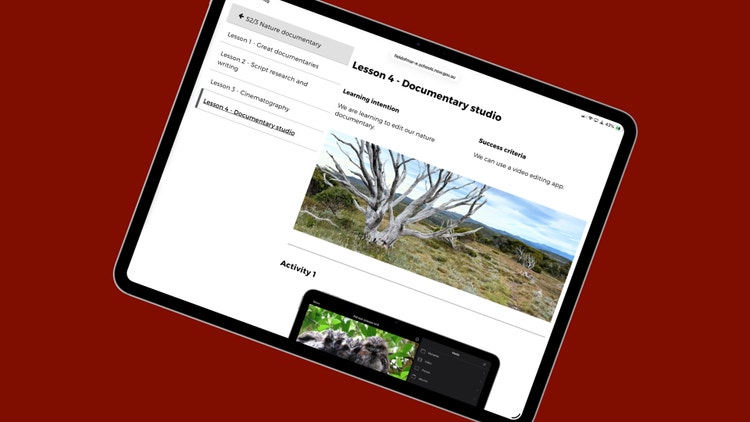
Use curriculum-linked digital books, lesson ideas and classroom activities to extend learning about living things, habitats, environmental relationships and digital communication.
Related Stage 3 programs
Poetic adventures incursion
Collect sensory words and outdoor images, then create an illustrated poem with narration, titles and sound.
Poetic adventures incursion
Collect sensory words and outdoor images, then create an illustrated poem with narration, titles and sound.